
Large and clear
Large text and big buttons. Nothing extra on the screen.
13 calm exercises: remember numbers, find pairs, spot what’s missing, count change. 10–15 minutes a day, large text and big buttons, clear rules before every game.


Memory and attention work better when you use them regularly. Ten minutes of exercises a day is like morning exercise, only for your mind. Sound familiar?



A little every day is best. A streak counter helps you keep going.

Exercises for memory, attention, math and logic take turns.

The rules are shown before each game. The difficulty adapts to you.

Your account keeps every round and your personal bests.
A set of exercises with clear rules: memory, attention, math and logic.
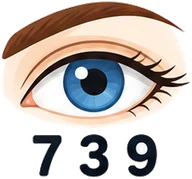 MemoryRemember the NumberA number for a second, then type it from memory
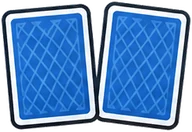 MemoryFind the PairFind pairs of matching pictures
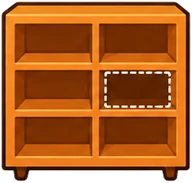 MemoryWhat’s Missing?Find the item that disappeared from the shelf
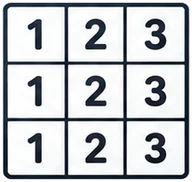 AttentionSchulte tableFind the numbers in order
 AttentionStroop TestPick the ink color, not the word
 AttentionSymbol CoderTurn symbols into digits using a key
 AttentionWide ViewNotice what flashed in the center and at the edge
 AttentionEmotionsIdentify the emotion from a face
 FlexibilityConnect in OrderNumbers and letters in turn: 1 — A — 2 — B
 FlexibilityTask SwitcherThe rule changes with the frame color
 MathQuick MathMental math problems
 MathMaking ChangeCount out change in coins and bills
 LogicNumber SequencesContinue the number series
All you need is an email and a password. Feel free to ask your kids or grandkids to help.
Enter your age in the profile, and the text gets bigger right away.
5 exercises from the 60+ set, already picked.
Doing well? Harder. Making mistakes? Easier.
Every round is saved; records and your streak are always in view.
Large text and big buttons. Nothing extra on the screen.

Each exercise starts with a short explanation of what to do.

Not too easy and not too hard. The level adapts by itself.

A 30-day chart, growth by skill, personal bests.
Short rounds. A daily goal and a streak counter.

Works in the browser. Nothing to install.
No. All you need is an email address and a password — no credit card. If you don’t have an email, your kids or grandkids can help you set one up.
Yes. The “Larger” button at the top of the page turns on large mode. You can also zoom the whole page: on a computer press Ctrl and “+” (on a Mac, Cmd and “+”); on a tablet, spread two fingers apart.
10–15 minutes is enough. A little every day is best. You can set a daily goal in minutes in your account.
Yes. All exercises work in the browser on tablets, phones and computers.
No. The exercises train skills in a game format and are not a medical service. If you’re concerned about your memory, see a doctor.
No worries: if you make a lot of mistakes, the tasks get easier. Compare yourself with yourself — the chart in your account shows how your results change.
Sign up for free, and in a minute you can start your first exercise. No credit card needed.
Schulte Table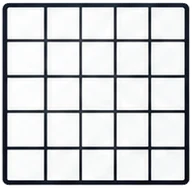 Schulte Table 5×5
 Shuffling Schulte TableStroop Test
 Stop Signal
 Gorbov–Schulte TableSymbol CoderWide ViewEmotions
 Spot the Difference
 Odd One Out
 Visual Search
 Count the Shapes
 More Dots
 Two of a Kind
 Middle Arrow
 Tagged Fish
 Shell Game
 Reaction Test
 Landolt Rings Test
 Click Speed
 Aim Trainer
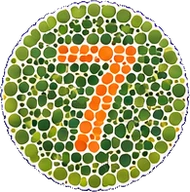 Color Blind Test
 Hearing Test
 Digits Backward
 Remember the Color
 N-back
 N-back 2
 N-back 3
 Corsi Blocks
 Backward Corsi Blocks
 Color Melody
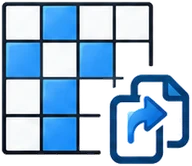 Pattern Memory
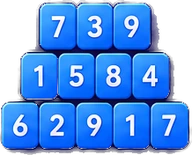 Digit Span Test
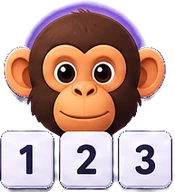 Chimp Test
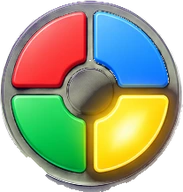 Repeat the Sequence
 Visual Memory
 Stroop: Color or Word
 Card Sorter
 Same Shape
 Meaning and Color
 Addition and Subtraction
 Times Tables
 Division Facts
 Greater or Less
 True or False
 Balance
 2048 Online
 Tower
 Scales
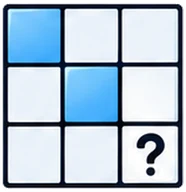 Patterns
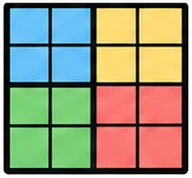 Mini Sudoku
 Missing Piece
 Connect the Pairs
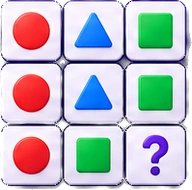 Logic Test
 IQ-Style Test
 Shape Rotation
 Follow the Arrows
 Maze
 Count the Corners