
Adults
Two minutes of visual memory with no words or numbers. A good break between tasks.
Also known as: remember the tiles, visual memory game, memory grid game
Colored tiles light up on the grid for two seconds. Once they go dark, tap the same spots. A game lasts two minutes, and you get 10 minutes of play a day without signing up.
Go to the game ↓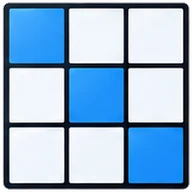


The exercise works your visual memory for location: you remember places on the grid, not objects. In two seconds you take in a pattern of tiles and then rebuild it from memory.
The grid gradually grows from 3×3 to 7×7, so there are more tiles to remember. Once you sign up, every game is saved and you can see a chart in your account.
Hold on to a picture after it disappears.
Remember exactly where the tiles were, not just how many.
As the grid grows, there are more tiles to remember.
One miss and the grid changes, so it’s better not to guess.
Press “Start”. The game runs for two minutes, and the first grid is 3×3.
A few tiles light up in one color for two seconds. The number of tiles is shown at the top.
The tiles go dark. Tap all the ones that were lit, in any order. Each correct tile earns a point.
Tapped the wrong spot: you lose a point, we show where the tiles were and give you a new grid of the same size.
After you clear a few grids, the size goes up: 3×3, 4×4, 5×5, 6×6 and 7×7.
Press “Start”, remember which tiles lit up and tap them.
Remember the Color
Colored cells light up on the grid for two seconds. Remember where they were and tap them. The grid gradually grows.
Free play left today without signing up: 10 min
It’s built on a visual pattern memory task: which cells of a grid were filled in. Similar grid-pattern tasks are used to test visual memory separately from words and numbers. Here all the tiles light up at once, so what matters is the whole picture.
If you want a bigger challenge, try Corsi Blocks: there the blocks light up one by one, and you repeat not only the positions but also the order.
Two minutes of visual memory with no words or numbers. A good break between tasks.

It starts with a 3×3 grid and two tiles, and the rules make sense without reading. It’s in the “Kids” collection. Suitable from age 6. Kids set

Not part of the “60+” collection: the tiles show for only two seconds, and the grid grows up to 7×7. Find the Pair or What’s Missing? are gentler places to start, and both are in the collection.
Answer 4 questions and we’ll put together a daily program of 5 trainers. We’ll email you the full 2-week plan.
Question 1 of 4
Two on a 3×3 grid, four on 4×4, five on 5×5, six on 6×6 and seven on 7×7. The number of lit tiles is always shown at the top.
No, tap in any order. Only the position matters.
You lose one point, we show the correct tiles, and then a new grid of the same size appears. The grid doesn’t shrink.
No, you can play 10 minutes a day right away. A free account lets you keep playing, save your results, track your progress and unlock the daily workout.
Yes, the trainer runs in the browser on phones, tablets and computers. Nothing to install.
 Corsi BlocksMemory for sequences
 Find the PairVisual memory
 What’s Missing?Memory for objects
 Follow the ArrowsSpatial thinking
All exercises for this skill: Memory trainers online
Free sign-up: round history, a chart by skill and a daily workout of 5 exercises. No credit card needed.
 Schulte Table
 Schulte Table 5×5
 Shuffling Schulte Table
 Stroop Test
 Stop Signal
 Gorbov–Schulte Table
 Symbol Coder
 Wide View
 Emotions
 Spot the Difference
 Odd One Out
 Visual Search
 Count the Shapes
 More Dots
 Two of a Kind
 Middle Arrow
 Tagged Fish
 Shell Game
 Reaction Test
 Landolt Rings Test
 Click Speed
 Aim Trainer
 Color Blind Test
 Hearing Test
Sign up — it’s free: 10 minutes of play every day, plus history and progress.
While you think it over, read what this exercise trains.
 Remember the Number
 Digits Backward
 N-back
 N-back 2
 N-back 3
 Backward Corsi Blocks
 Color Melody
 Pattern Memory
 Digit Span Test
 Chimp Test
 Repeat the Sequence
 Visual Memory
 Task Switcher
 Stroop: Color or Word
 Connect in Order
 Card Sorter
 Same Shape
 Meaning and Color
 Quick Math
 Addition and Subtraction
 Times Tables
 Division Facts
 Greater or Less
 Making Change
 True or False
 Balance
 2048 Online
 Number Sequences
 Tower
 Scales
 Patterns
 Mini Sudoku
 Missing Piece
 Connect the Pairs
 Logic Test
 IQ-Style Test
 Shape Rotation
 Maze
 Count the Corners